Chord Panel
Chord Engine device
The Chord Panel documents the standalone bottom-panel view. The same functionality is also available as a device on any instrument track — see Chord Engine.
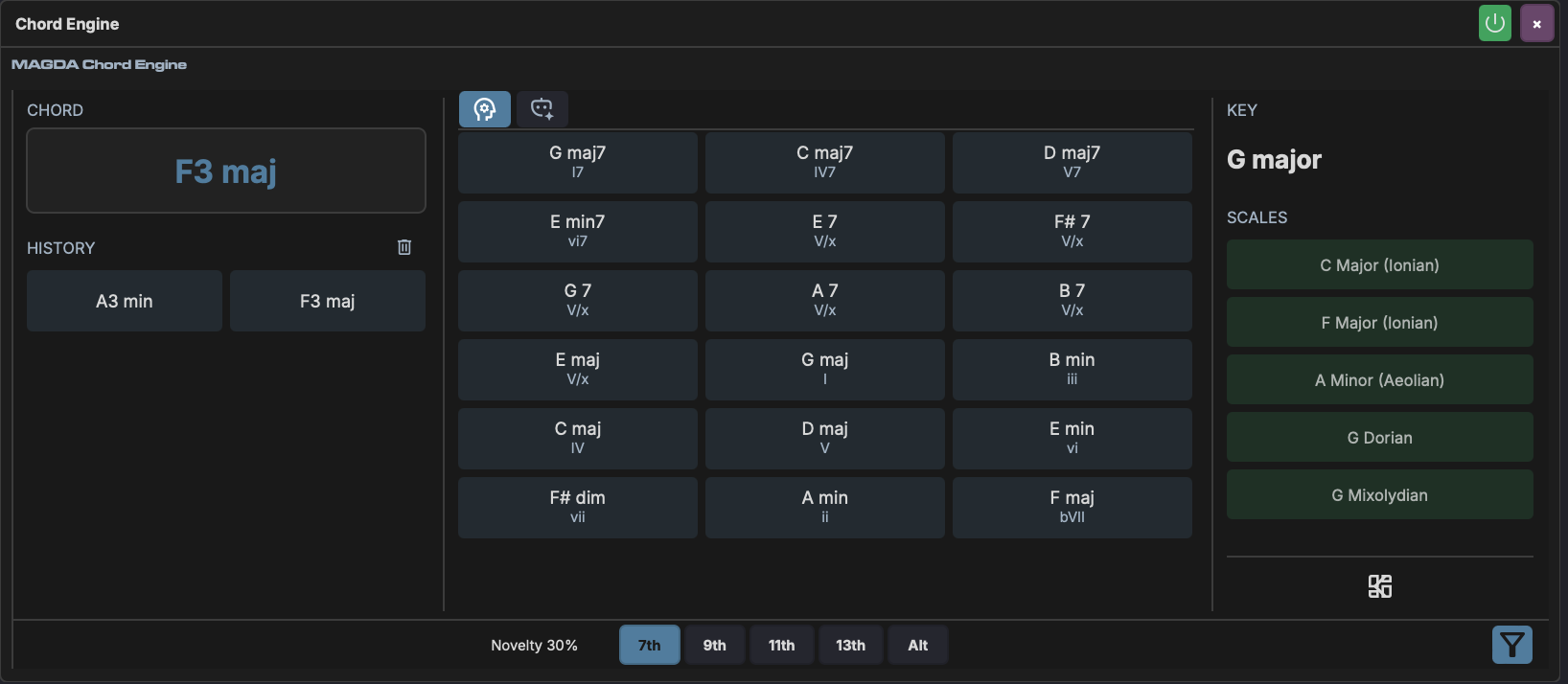
The Chord Panel is a real-time chord analysis and suggestion tool. It detects chords as you play, identifies the musical key, lists matching scales, and suggests what chord to play next.
Layout
The panel is divided into three columns:
| Column | Content |
|---|---|
| Chord (left) | Currently detected chord and recent history |
| Suggestions (centre) | Context-aware chord suggestions with Roman numeral degrees |
| Key / Scale (right) | Detected key, matching scales, and scale browser |
A footer toolbar spans the bottom with controls that shape the suggestions.
Chord Detection
Play notes on a MIDI instrument track and the panel displays the detected chord name in real time. Recent chords appear in the History section below.
Detection uses pitch-class set matching — it compares held notes against a library of known chord shapes (triads, sevenths, ninths, elevenths, thirteenths, augmented, diminished, suspended, and slash voicings).
Key Detection
The detected key (e.g. "C minor") is shown at the top of the right column. It uses the Krumhansl-Schmuckler key-finding algorithm:
- A pitch-class histogram accumulates every note you play, weighted by an exponential decay (recent notes matter more than old ones; the decay time constant is 5 seconds).
- The histogram is correlated against Krumhansl major and minor profiles — empirically derived distributions of how often each pitch class appears in music of a given key.
- All 24 possible keys (12 roots x major/minor) are scored. A small bias toward the third of each candidate key helps disambiguate major vs minor.
- The highest-scoring key wins.
Why the detected key might not match any chord you played
The algorithm detects the tonal centre from the aggregate pitch content, not from specific chord names. For example, playing G minor and Bb major together contributes pitch classes (G, Bb, D, Bb, D, F) which can correlate strongly with C minor's profile — even though you never played a C minor chord. This is musically correct: G minor and Bb major are the v and VII chords of C minor.
Scale Detection
Below the key, the panel lists the top matching scales (Ionian, Aeolian, Dorian, Pentatonic, etc.). These are ranked by how well the pitch classes you've played match each scale's note set, with a preference for:
- Scales rooted on the detected key
- Seven-note diatonic scales over five-note pentatonic scales
- Common modes (Ionian, Aeolian) over exotic ones
Shift-click a scale to select it for filtering (it highlights green). You can select multiple scales — their pitch classes are merged and used to filter chord suggestions. This lets you constrain suggestions to specific tonalities.
Click a scale (without Shift) to open a popup showing all diatonic chords built from that scale.
Suggestions
The centre column shows chord suggestions ranked by musical relevance. Suggestions are generated from:
- Diatonic candidates — chords built from the detected key's scale degrees (I through VII), with optional extensions (7ths, 9ths, 11ths, 13ths)
- Non-diatonic candidates — borrowed chords, secondary dominants, and alterations that add colour outside the key
- Voice leading — suggestions are voiced to minimise movement from the last chord you played
Recently played chords are filtered out so suggestions always point forward.
Footer Controls
| Control | Description |
|---|---|
| Nov (Novelty) | Drag to adjust the balance between safe diatonic suggestions (0%) and adventurous non-diatonic ones (100%). At 0%, only scale-degree chords appear. Above 80%, scale filtering is relaxed. |
| 7th | Toggle seventh chord suggestions (Maj7, min7, dom7, dim7) |
| 9th | Toggle ninth chord suggestions (Maj9, min9, dom9) |
| 11th | Toggle eleventh chord suggestions (dom11, min11) |
| 13th | Toggle thirteenth chord suggestions (dom13, min13) |
| Alt | Toggle altered/non-diatonic chord suggestions (borrowed chords, tritone subs) |
| Funnel icon | Toggle scale-based filtering of suggestions on/off |
Browse
The Browse button at the bottom of the Key/Scale column opens the scale explorer, where you can browse all available scales and their diatonic chords.
AI Mode
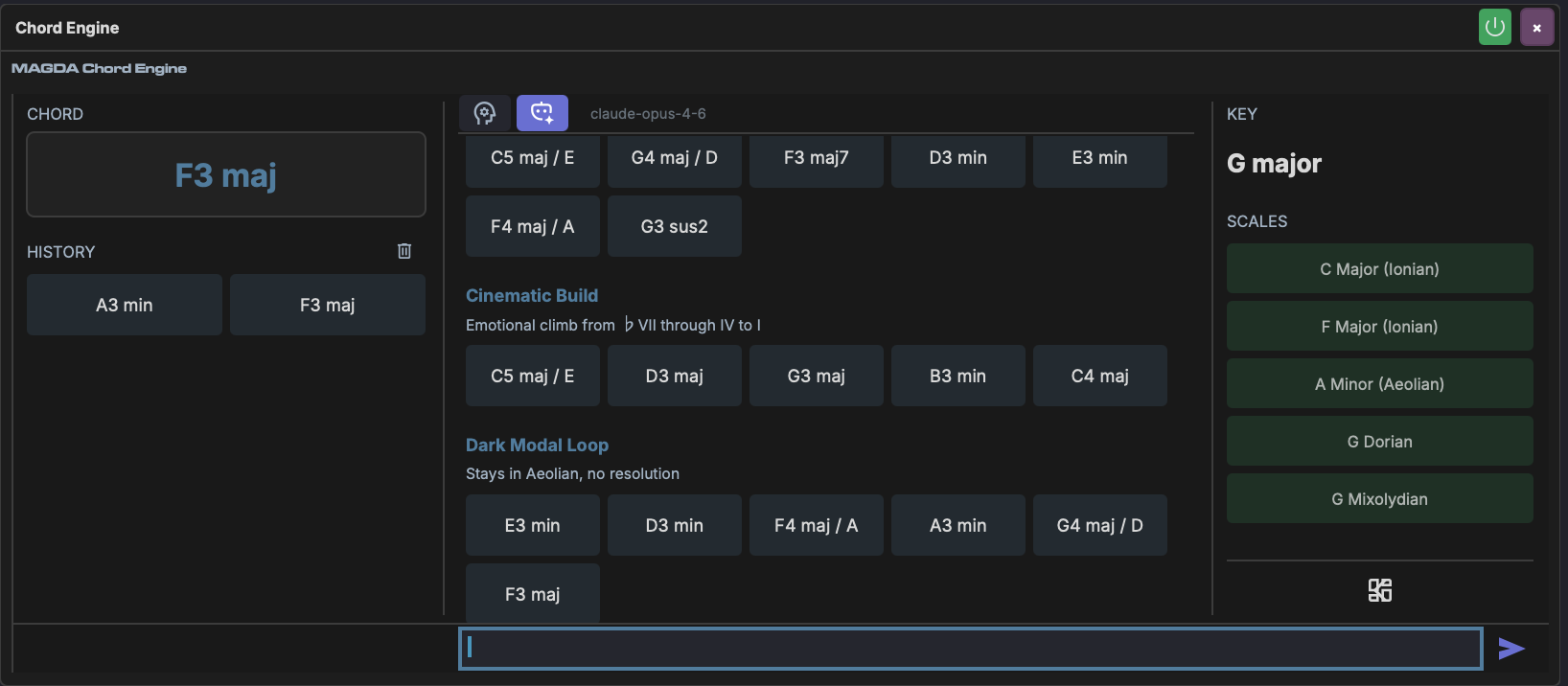
Switch to the AI tab to generate chord progressions from text descriptions. Type a prompt describing the style or mood (e.g. "Soulful I-iv-V7", "Jazzy backdoor voicing") and the AI returns labelled progressions as clickable chord buttons. Chords can be auditioned by clicking or dragged onto the Piano Roll.
See Chord Engine — AI Tab for full details.