Drum Grid
The Drum Grid is MAGDA's chain-based drum machine. Each pad is a full audio chain, giving you independent processing per drum voice.
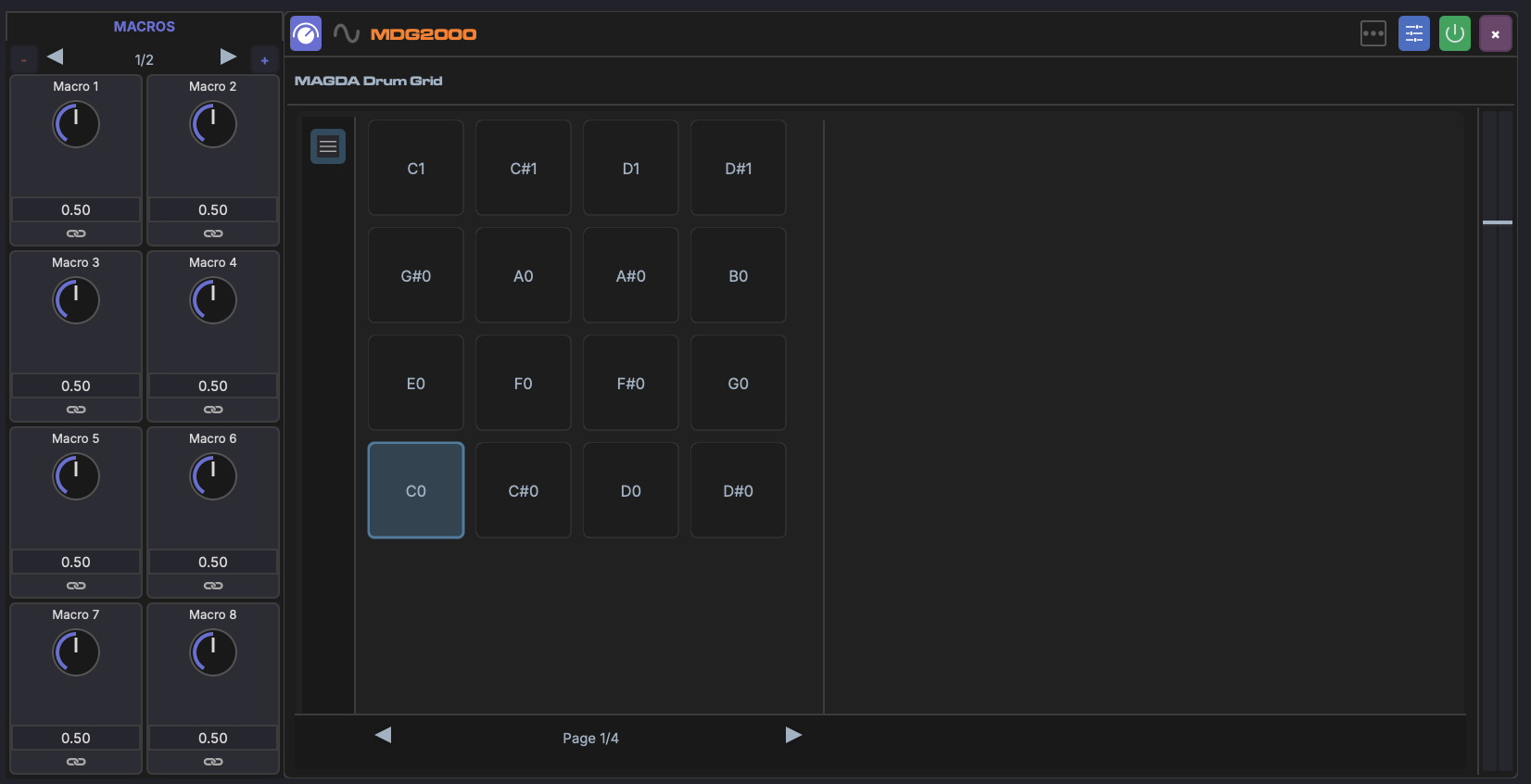
Overview
The Drum Grid maps incoming MIDI notes to individual pads. Each pad has its own sample, FX chain, and mixer controls, making it a self-contained drum kit in a single device.
Pads
- Each pad is mapped to a specific MIDI note
- Pads can be triggered from the Piano Roll, the Drum Grid Editor (bottom panel), or a MIDI controller
- Click a pad to select it and view its chain in the Inspector
Pad labels, instrument roles, and drumkits are managed by right-clicking rows in the Drum Grid Editor.
Per-Pad FX Chain
Each pad has its own FX chain, just like a regular track. You can add plugins, built-in devices, or racks to any pad's chain. This allows effects like distortion on a snare without affecting the kick.
Per-Pad Mix
Each pad has independent mix controls:
- Volume — Pad output level
- Pan — Stereo position
- Output routing — Route individual pads to separate mixer channels for independent mixing
When a DrumGrid track is expanded in the Mixer View, each pad appears as its own sub-channel strip.
Adding Samples
- Drag audio files from the Media Explorer onto a pad to load a sample
- Each pad plays one sample at a time
Multi-Sample Drop
Select several samples in the Media Explorer or Media Library and drag them onto any pad. Samples fill consecutive pads in selection order, starting from the drop target. While dragging, every pad that will receive a sample lights up so you can see the range before releasing.
Pad Envelope and Macros
Each pad plays its sample through MAGDA's sampler, which has an amplitude envelope you can shape per pad:
- Attack (ATK), Decay (DEC), Sustain (SUS), Release (REL)
These ADSR controls are full modulation targets. You can link them to the Drum Grid's macros and modulate them with LFOs or envelopes the same way as any other parameter (see Linking Parameters). Slicing a sample across several pads gives each slice its own envelope, so a single macro can, for example, tighten every slice's release at once.
MIDI Mapping
The default mapping assigns pads to General MIDI drum note numbers (kick = C1, snare = D1, etc.), but pads can be remapped to any MIDI note.