Modulation Overview
MAGDA provides two complementary modulation systems: Modulators and Macros. Both allow you to dynamically control device parameters without manual automation.
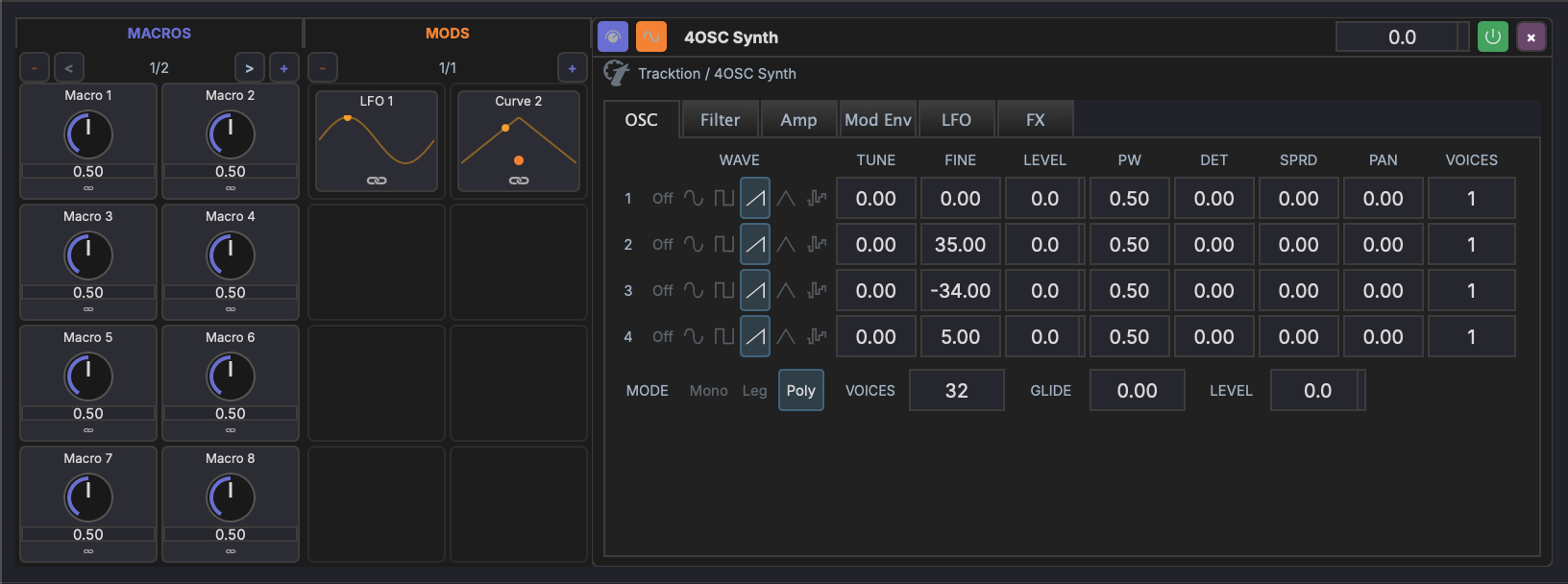
Modulators
Modulators are signal generators that continuously vary a target parameter over time. MAGDA includes:
- LFO — Low-frequency oscillator with multiple waveforms (sine, triangle, sawtooth, square, random)
- Bezier Curve Shape — Freely editable modulation shape drawn with bezier curves for complex custom patterns
See Modulators for details.
Macros
Macros are user-defined knobs that can control multiple parameters at once. Each track has 16 macro knobs (across 2 pages) that provide quick access to the most important parameters.
See Macros for details.
Hierarchical Scope
Modulators and macros are scoped to their parent track. A modulator on Track 1 can target any parameter within Track 1's device chain, but not parameters on other tracks.
Multi-Target and Multi-Source
- A single modulator can drive multiple target parameters simultaneously
- A single parameter can be driven by multiple modulation sources, with their effects combined
Global Modulator & Macro Panel
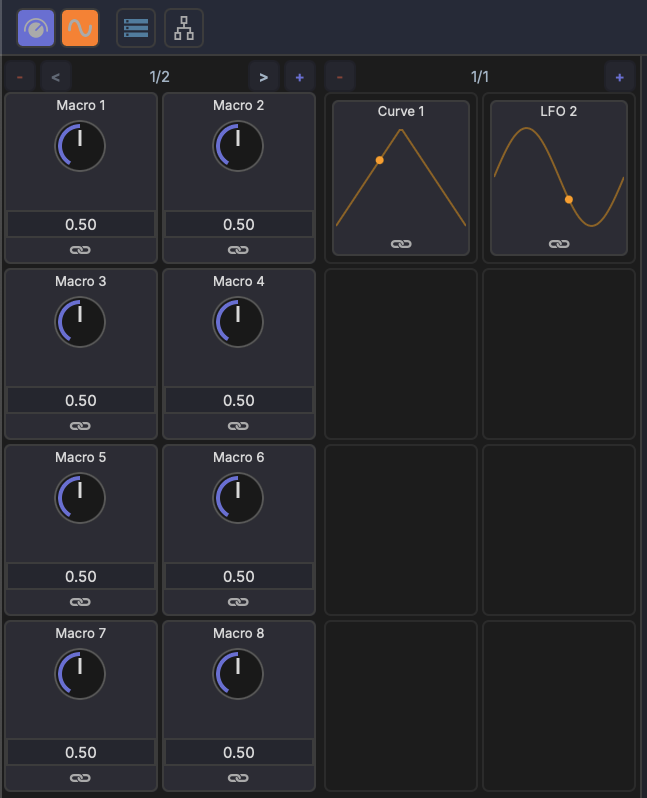
Each track's modulators and macros are managed from the modulation panel in the bottom section. The panel shows macro knobs on the left and active modulators (LFO, Curve) on the right, with page navigation for both.
Internal Device Modulation
Some built-in devices have their own internal modulation routing that operates inside the device's audio processing. For example, the 4OSC Synth has two LFOs and two modulation envelopes that can be routed to any of its parameters via an internal mod matrix.
Internal modulation and track-level modulation are independent and can be used together.
Linking
Parameters are connected to modulation sources using MAGDA's link mode. See Linking Parameters for the workflow.
Automation Lanes
In addition to modulators and macros, any parameter can be automated with a drawn curve on an automation lane below the track in the Arrangement View. Automation lanes play back their drawn curves during transport — the parameter follows the lane's value over time, in sync with playback.
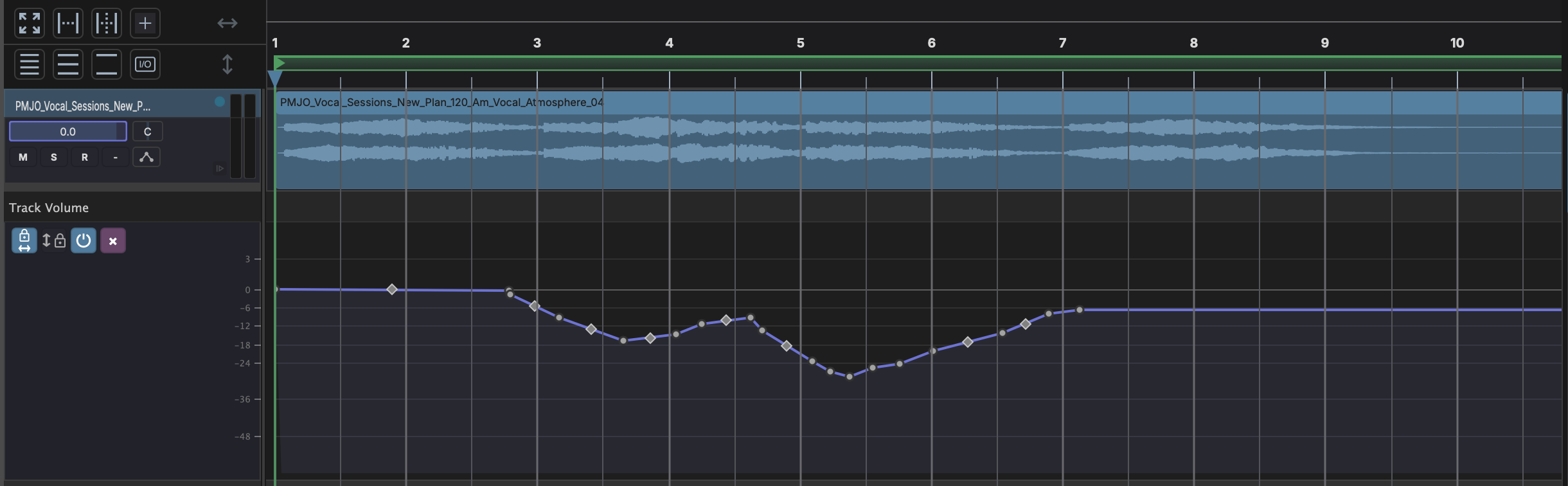
Automation is independent of modulators and macros: all three can drive the same parameter at once, with their effects combined.